Showing posts with label Professional Learning. Show all posts

Thursday, 27 October 2016

Day27 - Professional Development - Is There Another Way?


The Senior Leadership Team at St Francis of Assisi Catholic School has been aware for awhile that we needed to rethink the structure of Professional Development.

Having been  influenced by George Couros and his book “The Innovator’s Mindset” as well as Michael Fullan’s thoughts on Leadership and Professional Development, we have discussed the need to differentiate and personalise learning for staff, just as we would for our students.

Screen Shot 2016-10-25 at 11.25.19 PM.pngWe want to offer a variety of options - whole school, small group, flipped meetings, 1-1 depending on the topic and depending on the need, and above all we want to create a professional culture where sharing our practice is the norm.

Michael Fullan speaking on a panel at ULearn this year discussed the need for educators to share quality practice and how educators’ practice is improved when they are exposed to good practice more often.

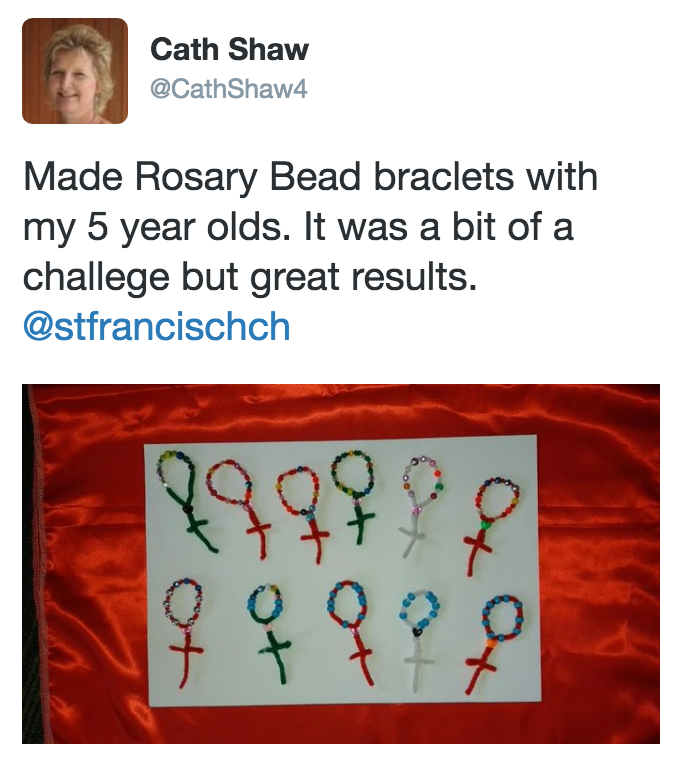
One platform we knew could be used to develop a Personal Learning Network (PLN), in which our teachers could be exposed to others’ practice and share their own, was Twitter. This knowledge inspired a Term 4 goal, to get everyone active on Twitter and to have staff share this understanding of how Twitter could benefit their practice.

Using Twitter would be new learning for some, and Couros (2015) states that to truly integrate new learning we need to give staff time to explore, collaborate and reflect. With this in mind we prepared a session for staff where they would have to do just that.

After sharing the goal with staff and offering technical help for those who needed it to set up an a account we were ready for action in Week 2.
Screen Shot 2016-10-25 at 11.14.36 PM.png
Screen Shot 2016-10-25 at 9.59.00 PM.png
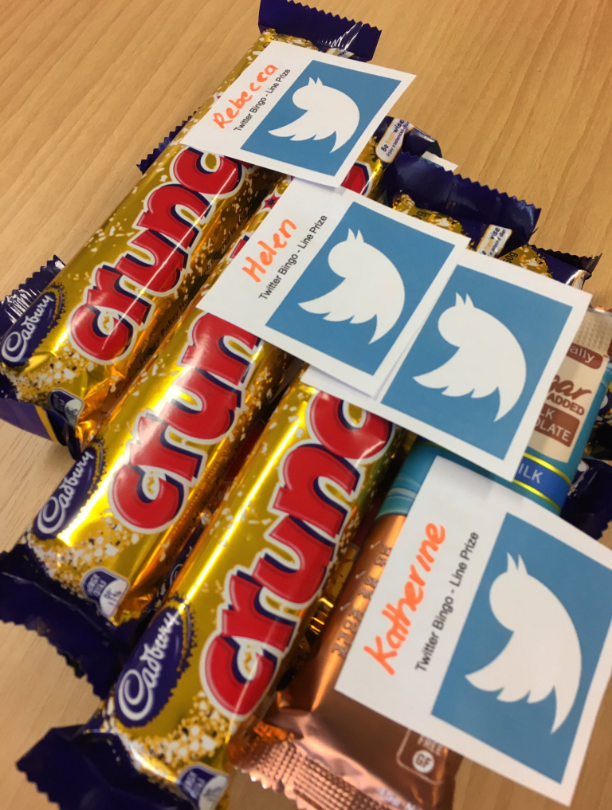
We decided on a staff challenge, Twitter Bingo. A series of tasks staff would tick off in order to get them active on Twitter, as educators. We also decided we would make it competitive, as we know from experience that a little healthy competition, with some perhaps not so healthy prizes, would motivate teachers to get onboard.

We introduced Twitter Bingo after a very short session on the nuts and bolts of Twitter. The engagement was even better than expected. After explaining the rules of the game the staff room was a hive of activity.

It was great to see staff exploring the app, collaborating and problem solving in a race against time to complete their Bingo card.  

Already we have had huge buy in from our staff and we are excited to see the sharing that is taking place.

Screen Shot 2016-10-25 at 11.36.59 PM.pngScreen Shot 2016-10-25 at 11.34.46 PM.pngScreen Shot 2016-10-25 at 11.28.50 PM.png


We are looking forward to increased professional engagement from our staff.
Screen Shot 2016-10-25 at 11.25.16 PM.png

Jo Earl @JoEarl2 & Whitney Hansen @whitn3yhans3n

References & Attributions

Michael Fullan @MichaelFullan1

We would like to say a special thank you too, to Alex Le Long @ariaporo22, for the amazing Twitter cheat sheet she created.


Friday, 7 October 2016

Less than 72hours till Term4 begins!!


Day 7 #CENZ16 Starter Kete Day 7 - Facebook


Day 3 - uLearn16   DIYPD  
       Shoutout to the Twitter Tribe #notatulearn16

After a great night of a "Kiwiana themed" conference dinner, 
it was back onto the buses to go to a variety of venues around Rotorua for an 8.30 start for the final morning of workshops and ending with a keynote by Karen Spencer who congratulated over 1800 educators on spending 3 days of their holidays on their own PD , but also mentioned that there was only 72hours until Term 4!

I decided to go to the early morning CENZ Conversations which were live streamed, so educators who were not at uLearn16 could also benefit from the free PD. Viv Hall @vivhall talked about Throughput the three days a large group of educators  including @Allanahk @kerriatamatea @mrs_hyde @AKeenReader have been tweeting using the #notatulearn16 hashtag. This is a fun way to connect with others notatulearn, but also a great way for DIYPD.  There have been many free webinars throughout the year - check out enabling e-learning, but all the webinars from EEL and CENZ are available online if you missed them.

Another way to gather up the free PD resources is to search for the hashtags #notatulearn16 and #ulearn16 to see how teachers have recorded and shared their learning. This may just be a brief quote from a speaker, a presentation from a workshop to a collaborative
google doc. 

One amazing way to record the speakers is the use of sketchnotes. 
Sylvia Duckworth @sylviaduckworth is a well-known educator and creator of  graphics created using sketch notes. (See above)
And here is a summary of Larry Rosenstock's keynote  from Day1.


Wednesday, 28 October 2015

Techie Brekkie


Whitney Hansen - @whitn3yhans3n
Hoon Hay School


Term 4 of 2014 our school decided 5 of our senior classrooms would go 1:1 device this year. Previous to this we were not even using GAFE, and the idea of sharing documents and cloud based storage for some of our staff was quite abstract.


This exciting leap into learning with digital technologies and the opportunity to start working via the Google Platform meant that our staff needed upskilling and fast. We were and are really lucky to be apart of the GCSN (Greater Christchurch Schools Network) and the TToM (Ko te Tihi o Matauranga Cluster), which is a Christchurch wide project made up of five communities of schools aimed at ensuring all students have access to suitable digital technologies and equipping our students with 21st Century Skills and digital competencies. Being a part of the GCSN and the TToM Cluster has meant that we have had some funding for professional development and leadership support in these areas from CORE, which has been amazing.


As with most new learning the more we learnt the more we realised we needed to learn and that then got me thinking how could we offer more regular opportunities for professional learning for our staff. I had heard about the idea of Technology Breakfasts from other schools and thought this would be a great way to provide these opportunities.


FullSizeRender.jpgSo we started meeting on Thursday mornings at 7.30am and spent an hour learning about digital technologies. At first it was our syndicate team of five teachers and we spent Term 1 looking at things like Hapara Teacher Dashboard, Paperless Planning  and GAFE (specifically the Google Docs Suite and Blogger). The sessions were twofold, teachers learnt about a concept or developed literacy in this area and then they had to take that learning back into their classrooms. By the end of that term we started to run schoolwide Techie Brekkies, which all staff were invited to and our principal even agreed to providing the breakfast.


Term 2 we alternated between schoolwide and team brekkies and we looked at Google Apps, Extensions and Add Ons, the SAMR Model and we were really lucky to have some guest speakers including Allanah King from CORE Education and Barrie Matthews from LEARNZ.


FullSizeRender.jpgLast term saw us looking at the concepts of Genius Hour, Passion Projects and Maker Space. We spent a couple of brekkies discussing how we could allow more opportunities for students to collaborate, innovate and create, and how we could be using digital technologies to support this. The digital literacy that we covered in these sessions involved Scratch,  Makey Makey and Build with Chrome.


It was really amazing after one of these sessions to see one teacher in our team go from not know what coding was at 7.30am to having students creating things on scratch by 9.30am; the Techie Brekkie that day not only challenging and changing thinking, but changing practice. In another Techie Brekkie it was great to have our team leader decide that a Makey Makey wasn’t a novelty item we might purchase for our classrooms, but a must have.


So what did the staff think?


  • Many things we have learned in techie brekkie time are now 'just what we do'.


  • This has been extremely beneficial as I am part of a power of two team. Now all our planning is being done on one shared plan and we are using a collaborative calendar, which is working extremely well.


  • Early morning meetings have freed us up to fit in everything else and still attend P.D.


  • Having this extra weekly opportunity has certainly made this learning journey more manageable and most of all... fun.


  • The topics covered have been at a pace for all to take advantage of and most appropriate for where we are and what we are trying to achieve.


  • As a novice in the technology world, these sessions have been extremely valuable. Not only to practice new skills, but also to share thoughts and ideas with colleagues.


  • Gaining a deeper appreciation for the different apps and websites available to support our classroom programme has also been invaluable.


This week we created class You Tube Accounts and looked at Flubaroo and Show Me and next week we are having Twitter enthusiast Jo Earl come and talk to us about being a connected educator.


Our sessions have really evolved in 12 Months, from basic sessions on how to use Google Drive to robust discussions around coding in the classroom. The real learning I have taken from these Thursdays is that the more teachers are exposed to, and can collaborate around the ‘why’, the more likely it is that this new learning will make its way into classrooms and that’s what makes Techie Brekkies powerful.

What’s happening in your school?

Tuesday, 13 October 2015

Two exciting opportunities for teachers in Christchurch

Calling all teachers in the Canterbury region! Here are two PLD opportunities that you won't want to miss!


Opportunity #1


What skills will our learners need to thrive in the workforce? Hear all about the importance of nurturing innovation in today's young people at this inspiring event from ChchEd.

Next Thursday 22 October, 6-7.30pm at the brand new CORE offices in Kilmore Street. Absolutely free!

More details HERE

Please fill out this google form to register.


Opportunity #2


Most Likely to Succeed Trailer from One Potato Productions on Vimeo.


Come to the Christchurch screening of "Most Likely to Succeed" hosted by Think Beyond. This movie has been receiving rave reviews worldwide and is a must-see for anyone interested in the transformation of education.

Wednesday 18 November at The Aurora Centre at Burnside High School, $17.25

More details and ticket purchases here.

Sunday, 14 June 2015

Two opportunities for you - Personal/Professional Learning

What are you doing next Saturday?

Two opportunities for Professional Development


EducampTIMARU

Sat 20 June, 2015

SMACKDOWN NOW ONLINE

#EducampTIMARU
Craighead Diocesan School, Wrights Ave, Timaru
20 June 2015

Emerging Leaders CHCH


Tuesday, 21 October 2014

Dare you to move

By Jon Keelty, Deputy Principal, Thorrington School
jon.keelty@thorrington.ac.nz

I have been involved in digital innovation in schools for a long time now. There are so many exciting ideas and approaches that have developed in the last 10-15 years. The advances we have made in the area of pedagogy and learning design with technology have helped to transform the way we teach and the way students are approaching their learning. Technology underpins many important emerging visions for modern learning. It is one of the core “deep learning” skills identified in Michael Fullan’s groundbreaking “New Pedagogies for Deep Learning” project.


Image: iPad Curious Learners by Fancy Jantzi, on Flickr
  1. ACCEPT that this is a part of your teaching toolkit that you can longer afford to be light on. It’s here to stay and it is becoming increasingly important for you to have these skills to be able to contribute positively in your teams and not be a burden on others.
  2. BUILD on our existing strengths and knowledge – choose technology use and digital strategies that you know will enhance learning based on research and your understanding of how kids learn. After all that’s what schools and students need to make it successful – teachers who can apply and filter these initiatives through a lens of pedagogical expertise! If you have a growth mindset, apply it and supercharge your tech initiative.
  3. CONNECT with other teachers who can support your skill development and who will benefit from your ideas and input. Working together is part of what we do as a profession and we are seeing many exciting developments in team-based approaches to teaching in modern learning spaces which are fantastic for teachers to be continuously developing and honing their craft alongside their colleagues. A personal learning network is only a few clicks away – social media is a rich source of wisdom, encouragement, innovative new ideas and support for any teacher who needs it. Don’t just sit and wait for the next course to be offered to you – go out and design your own learning by accessing the global network of educators who are more than willing to lend a hand!

Billions of dollars have been spent around the globe in education to improve infrastructure, upgrade technology training and increase access to devices for students in a variety of ways. There are many frameworks which have been developed which focus on marrying good pedagogy and learning design with effective technologies. It is not good enough just to put technology in front of our kids and think that they can do it themselves. Our kids are fearless risk-takers when confronted with new tech – but they often need a lot of guidance and support to use technology to improve their learning – that’s where we are ideally placed to have the most impact!
And yet there are still many teachers and leaders who have a view that technology is an added extra or even a “distraction to real learning”. We talk about our “digital natives” in a way that implies that this revolution is about them and not us. There are many ways that we can enhance the learning of our students by the use of technology – but there are also some exciting ways that we can improve the way that we carry out our roles as teachers.
Technology is still an area where many teachers feel hesitant, under-skilled, disempowered and even fearful – but it doesn’t need to be that way! It is way past time that we lived out our vision for our kids for ourselves. Here are three easy steps to take:
Is it time you got your passport out and shifted your mindset? Become a digital immigrant.
I dare you.

Monday, 13 October 2014

The myth of the digital native

Blog post from Nathan Walsh, Christchurch Boys' High School, Christchurch

Digital native is a term used to describe the technology savvy generation of students who are presently in our classrooms. Some teachers feel uncomfortable at the prospect of teaching with technology and terms such as ‘digital natives (students) and digital immigrants (teachers)’ often add to the discomfort. However, in my experience students are not necessarily savvy with using technology for learning. Recently I showed my Year 10 Commerce class how and why you would want to save a document to the cloud. Most students took quite some time to get to grips with how to do it and the some had never thought of the advantages of saving work in this way.

The terms digital natives and digital immigrants were created in 2001 by Mark Prensky – an American writer and public speaker. Prensky’s terms of digital native and digital immigrant have been widely discredited in educational research. Sue Bennett’s paper from 2012 states “Closer examination of Prensky’s arguments … reveals little in way of evidence to substantiate his claims. He relies on anecdotes, conjecture and speculation.”

When encouraging staff to teach with technology it may be beneficial to point out that there is no evidence that today's students are any more technology savvy than those of any other generation.

Image from - http://blaugh.lockergnome.com/cartoons/060901_kindergarten_wifi.gif


Thursday, 2 October 2014

Why Tag Your Tweets??

by Matt Nicoll, St Andrew's College

If you follow me on Twitter, you will see that I am a serial user of hashtags. What are hashtags? Why should you use them?

WHAT ARE "HASHTAGS"?

You will see from my tweets that I tag just about everything I say with at least one hashtag; these are the things like #ChchED, #scichatNZ and #edchatNZ:


So, a hashtag is a word or short phrase (without spaces between words) preceded by "#" that you add to your tweets. But why use them at all? I have a few reasons:
  1. Twitter Chats
  2. Specifying My Audience
  3. Building a Community

TWEETDECK

Before going too much further, it is important to point out that the power of hashtags can really only be exploited if you have a way to filter them. I was pointed in the direction of TweetDeck and have never looked back. I can set up "Search Columns" for each hashtag, making them easy to follow.

Here is a video that I found that has a wonderful overview of TweetDeck Columns, including hashtags and how to set up a Search Column:


TWITTER CHATS

My first introduction to (useful) employment of hashtags was when I was asked to take part in the 3rd-ever #edchatNZ chat. I had my #edchatNZ column set up, and the rest, as they say, is history. #edchatNZ has been the most useful source of regular PD that I have had for the last two years...and it is free (apart from the time spent ignoring my tolerant partner!).

Go looking for Twitter Chats that resonate with you. There are a lot out there; here are just a few:

  • #engchatNZ (English educators)
  • #mathschatNZ (Maths educators)
  • #scichatNZ (Science educators)
  • #midedchatnz (Year 7-10 educators)
  • #penzchat (PE/Health educators)
  • #aussieED

You will get amazing ideas and connect with amazing educators by taking part in these chats. If that seems a bit daunting (don't be ashamed of feeling like that - we all did at some stage!), read this post by Steve Mouldey about Twitter Chats:


SPECIFY YOUR AUDIENCE

I asked Danielle Myburgh (founder of #edchatNZ) what she thought I needed to include in this post, and she said, "It's how [people] find your stuff and how you find [people's] stuff." She mentioned that a hashtag was analogous to a paperclip; this resonated with me.

If I tweet about Science education, I use #scichatNZ (and sometimes #edchatNZ too). If I tweet about something Christchurch-specific, I use #ChchED. You get the picture... People with these columns set up will notice these tweets; they do not get "lost" in the "noise" of the general Twitter feed (the "Home" column).


BUILD A COMMUNITY

This all leads me to why I want YOU to use hashtags, please. Christchurch Connected Educators are using #ChchED to help build this community. If you have a question to ask, please tweet it using #ChchED. If you have a resource to share, please tweet it out there using #ChchED. If you are blogging, tweet about it using #ChchED. Help us build this community, and make sure the community knows about the amazing things you do. Thanks.